
Any statement
CSV, Excel (.xlsx, .xls) or fixed-width text. Provider profiles come ready; if yours is missing, copy one and set separator, decimals, dates and the column of each field.
Import the statement of your fuel or toll card, or fetch it by API every day, and each transaction lands on the vehicle and the driver who had it that day. You see what each truck costs per month, its consumption and the refuels that do not add up.
By Juan Cantón Rodríguez · Updated
Fuel and toll cards arrive as statements from each provider, each with its own columns, separators and date formats. Someone goes through them by hand, or nobody does, and the cost per truck is known at the end of the year, if at all.
There is no regulation to comply with here: it is money. A refuel bigger than the tank, or two refuels minutes apart, is something you want to see the same week.
CSV, Excel (.xlsx, .xls) or fixed-width text. Provider profiles come ready; if yours is missing, copy one and set separator, decimals, dates and the column of each field.
Enter your provider's API credentials once and fetch the transactions with a button, or every day on their own.
Matched by plate (with or without spaces and dashes) or by the card assigned to the vehicle, and to the driver of that vehicle on that date.
What each truck costs per month and its litres per 100 km between refuels. Refuel, AdBlue, toll or other, by product.
More litres than the tank, two refuels of the same vehicle too close together, no driver, or a plate with no vehicle.
How many lines will go in, which plates have no vehicle, which lines were already imported and which cannot be read, before anything is saved.
The same transaction is never imported twice, even when statements or API fetches overlap.
If you want, it updates the odometer from the statement and creates Fleet costs per transaction or per vehicle and day.
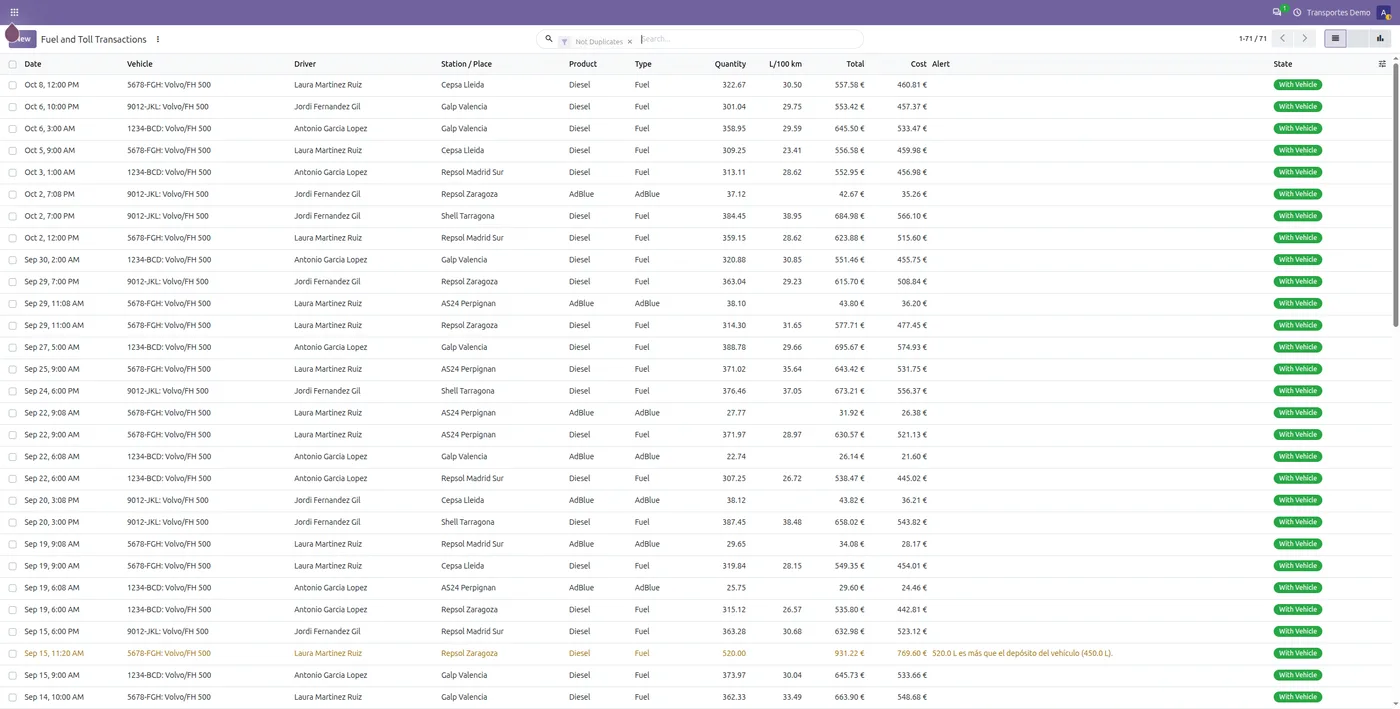
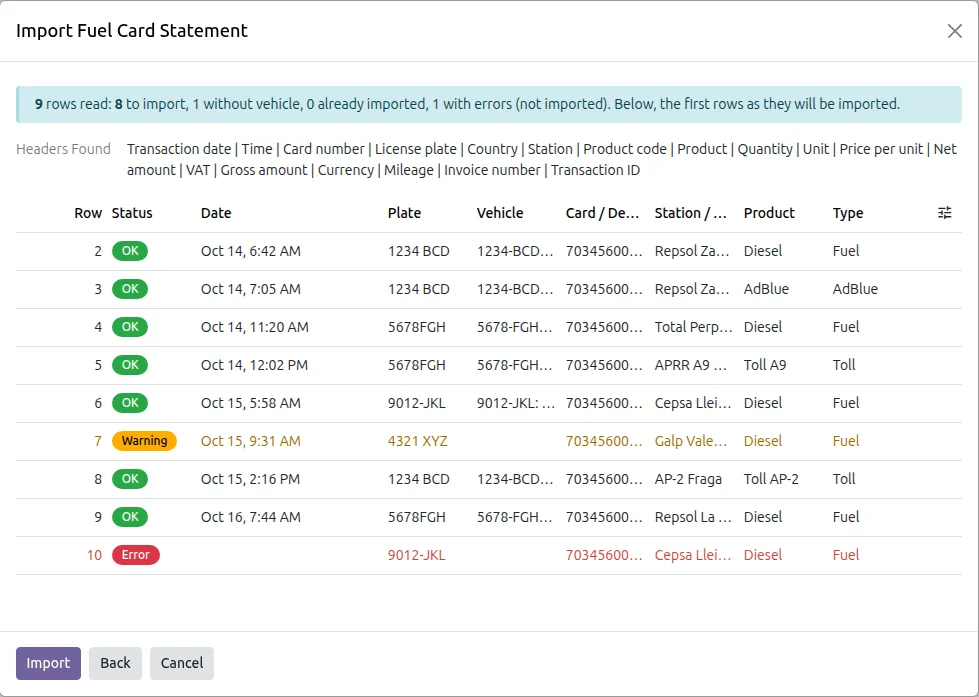

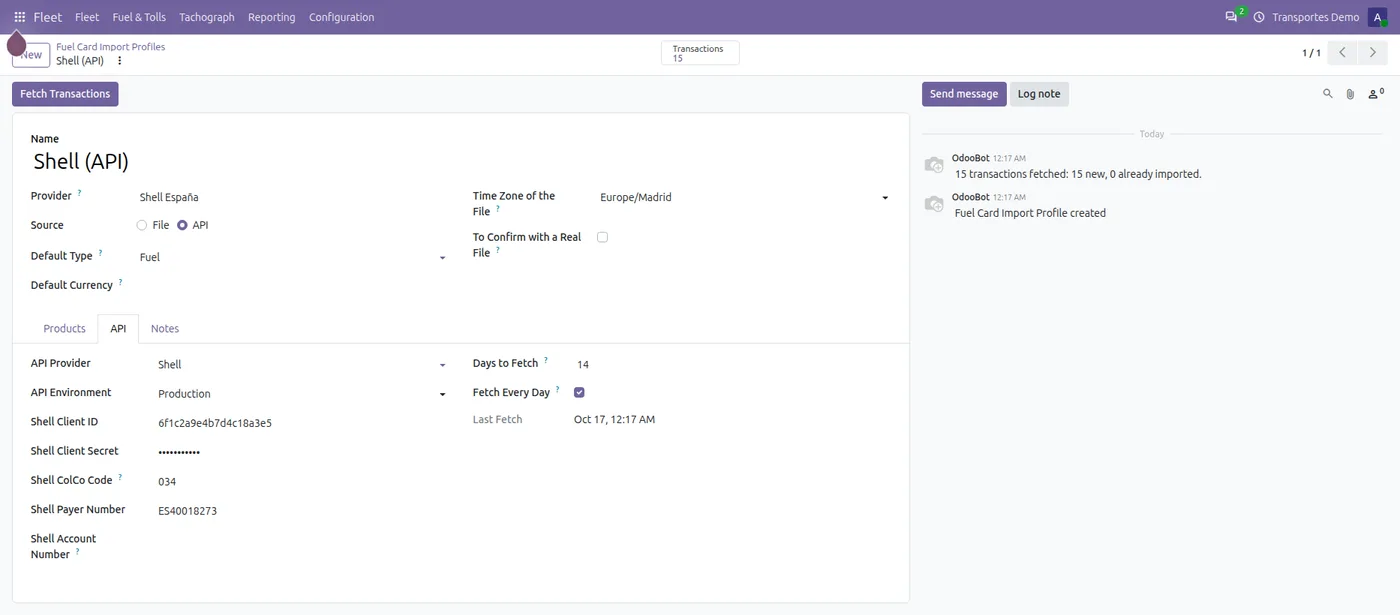
Screenshots of the app with sample data.
Installs on its own in any Odoo 17, 18, 19 or 20 with Fleet, Community or Enterprise. The interface is in English and Spanish.
It is a third-party app with Python code, and Odoo Online does not install those. It runs on Odoo.sh or on a server of your own. If you are on Odoo Online today, we can walk you through what the move involves.
Bought on the Odoo Apps Store under the Odoo Proprietary License (OPL-1). Help with installation, the first import and the settings is by email; if you get stuck, we look at it with you.
Prices as listed on the Odoo Apps Store on 17 October 2026. The store page is the reference.
Prefer to have it installed and set up with your trucks and drivers? We can cover that on the call.
Yes, if it gives you a CSV, an Excel or a fixed-width text file. Copy one of the profiles and tell it which column holds each field: date, plate, product, litres, amount. If you prefer, we set up the first one with you.
With DKV and AS24, transactions can be fetched every day by API, entering the provider's credentials once. Shell and bp / Aral too, in beta. With everyone else, you upload the statement.
Nothing: a transaction that is already there is not imported again. The preview tells you how many lines were already in before you save.
No. It only depends on Fleet. If you keep your books in Odoo too, the provider's invoice is recorded there like any other.
No. Odoo Online does not install third-party apps that contain Python code, and ours do. It works on Odoo.sh and on your own server (on-premise), Community or Enterprise, Odoo 17, 18, 19 and 20.
With a sample company first and, if you like, with your own trucks and drivers next time. You talk to the people who build the app.