
Real odometer every day
The odometer MyGeotab shows for each vehicle, recorded once a day and never lower than the last known value. In kilometres or miles, as the vehicle is set in Fleet.
The Geotab devices already in your trucks keep Odoo Fleet up to date: the real odometer every day, the last position and who is driving. Add our tachograph app and the .ddd files and live driving times arrive on their own.
By Juan Cantón Rodríguez · Updated
The telematics box knows where each truck is, who drives it and how far it has gone. Odoo Fleet only knows what someone types, so odometers are copied by hand, late and with mistakes, and services and contracts run on the wrong figures.
And to see where a truck is, the office opens one screen for the position and another for the vehicle, its contracts and its costs.
The odometer MyGeotab shows for each vehicle, recorded once a day and never lower than the last known value. In kilometres or miles, as the vehicle is set in Fleet.
Time, latitude and longitude of the last position, speed, whether it is driving and whether the device is communicating, with a link to the map.
The driver Geotab has on the vehicle, linked to your contacts by Geotab employee number, tachograph card or name, and optionally set as the driver in Fleet.
By VIN or plate on the first sync (spaces and dashes do not matter), or by the Geotab device you set by hand.
It never changes anything in your MyGeotab database. A read-only Geotab user is enough.
Positions and drivers every hour, the odometer once a day, with the last sync and last error visible in the settings.
With our tachograph app, the driver card and vehicle unit files Geotab downloads remotely are read every hour, never the same file twice.
Every 15 minutes, the EU driving times Geotab calculates, next to the last card download, with an alert before a driver runs out of time.
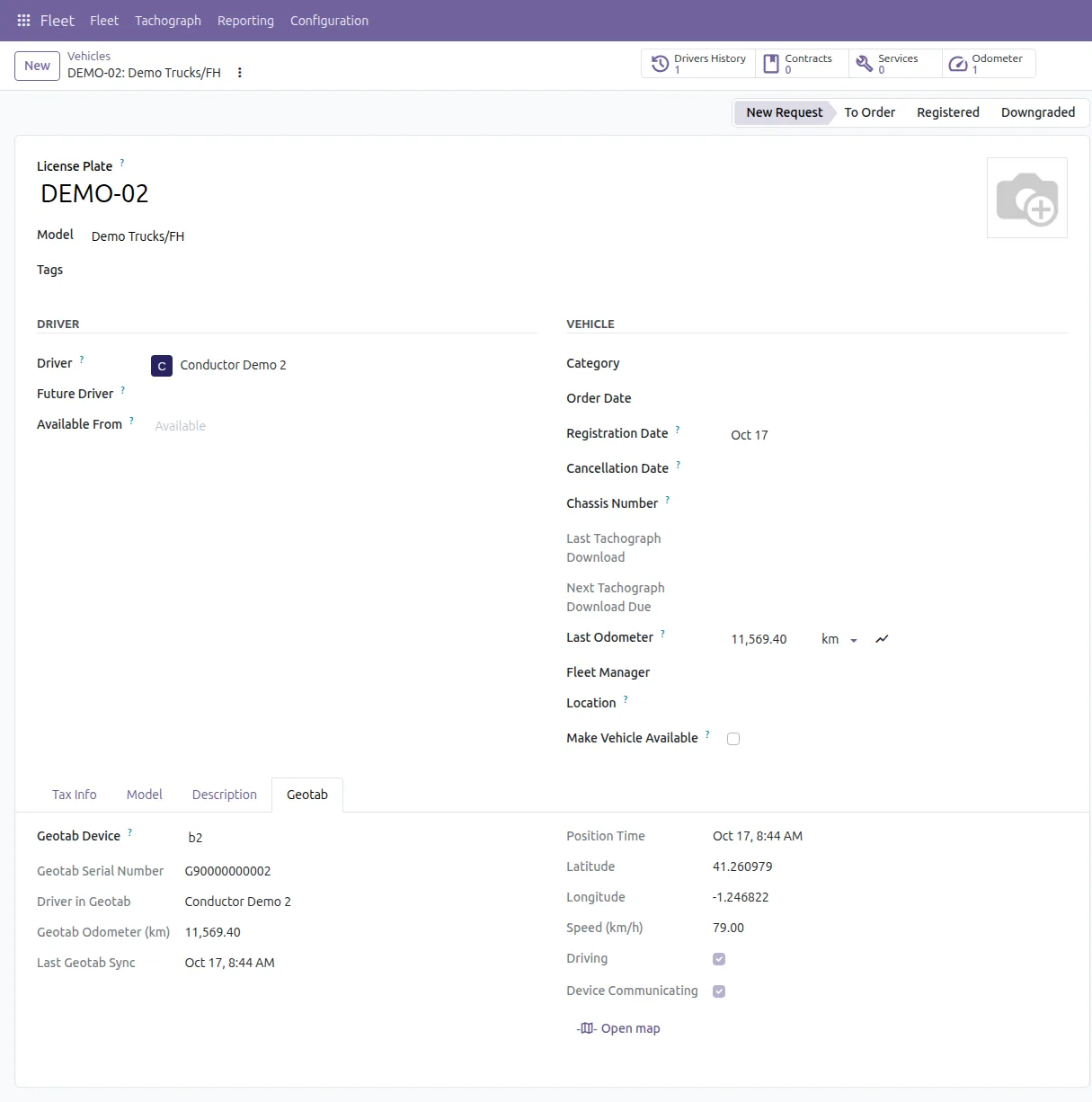
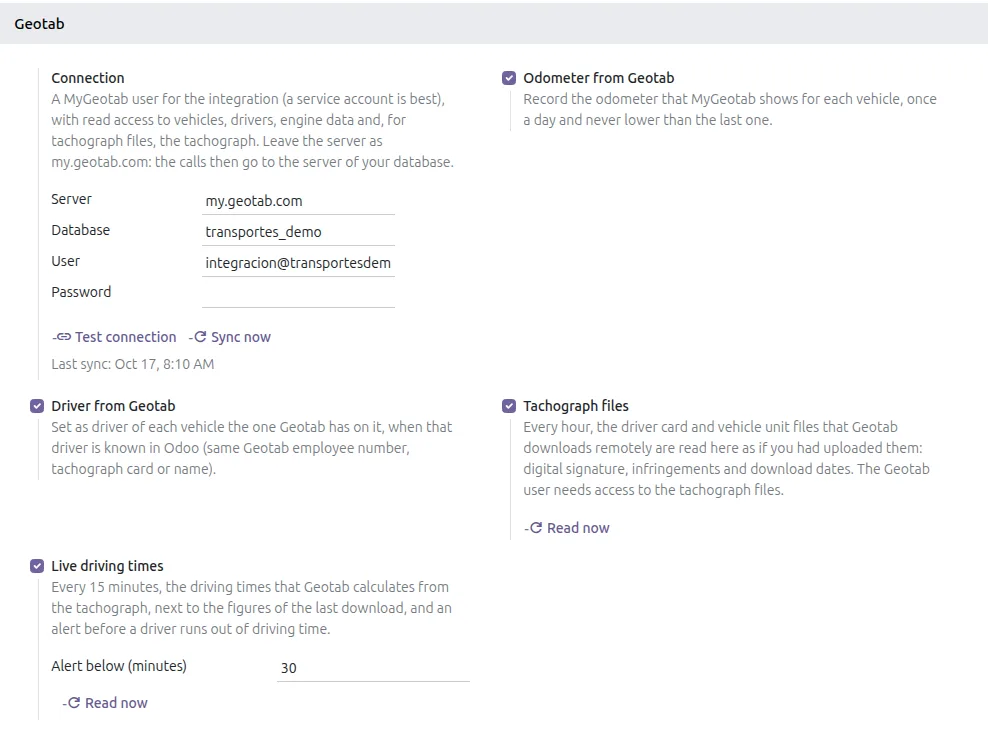
Screenshots of the app with sample data.
For fleets on Webfleet, the same idea through WEBFLEET.connect. Both apps are built; they are not on the Odoo Apps Store yet, so ask us for them.
The real odometer every day, last position with address and ignition, the driver signed on in Webfleet, and maintenance reminders by kilometres or months (oil, roadworthiness inspection, tachograph calibration, tyres), with the history kept in Fleet services. Read only; works with every Webfleet plan.
The remaining driving times Webfleet calculates from the live tachograph, every 15 minutes, next to the figures of the last card download, with an alert before a driver runs out of time. Needs the Remaining Driving Times, Tachograph Manager Plus or TachoShare Plus feature in Webfleet.
Installs on its own in any Odoo 17, 18, 19 or 20 with Fleet, Community or Enterprise. The interface is in English and Spanish.
It is a third-party app with Python code, and Odoo Online does not install those. It runs on Odoo.sh or on a server of your own. If you are on Odoo Online today, we can walk you through what the move involves.
Bought on the Odoo Apps Store under the Odoo Proprietary License (OPL-1). Help with installation, the first import and the settings is by email; if you get stuck, we look at it with you.
Prices as listed on the Odoo Apps Store on 17 October 2026. The store page is the reference.
Prefer to have it installed and set up with your trucks and drivers? We can cover that on the call.
No. It only reads from Geotab through the official MyGeotab API. A read-only Geotab user is enough.
Vehicles are matched by VIN first, then by plate, ignoring spaces and dashes. When neither matches, set the Geotab device on the vehicle by hand and it is kept.
Yes, with our tachograph app and Tachograph + Geotab: every 15 minutes, the EU driving times Geotab calculates, with an alert when a driver has less than 30 minutes left (or what you choose). On Webfleet, the same comes with Tachograph + Webfleet, which is built but not on the Apps Store yet.
The apps are built. Until they are published, we install them for you: write to us or book a call.
No. Odoo Online does not install third-party apps that contain Python code, and ours do. It works on Odoo.sh and on your own server (on-premise), Community or Enterprise, Odoo 17, 18, 19 and 20.
With a sample company first and, if you like, with your own trucks and drivers next time. You talk to the people who build the app.