
11 types ready
Roadworthiness inspection, insurance, transport licence, tachograph inspection, ADR, ATP, driving licence, CPC, ADR driver, driver card and medical check.
Every document of your trucks and drivers in Odoo, with its date, number and scanned copy. Every morning, a reminder to whoever has to renew it before it expires, and another one if it does.
By Juan Cantón Rodríguez · Updated
A haulier lives by dates: each truck's roadworthiness inspection and insurance, the transport licence, the tachograph calibration and, on the driver's side, the licence, the CPC, the ADR certificate, the tachograph card and the medical check.
When those dates sit in a spreadsheet, the warning comes when someone opens it. An expired inspection is usually found at the roadside, and a truck stopped or a driver without a valid CPC costs more than any software.
Roadworthiness inspection, insurance, transport licence, tachograph inspection, ADR, ATP, driving licence, CPC, ADR driver, driver card and medical check.
Valid, expiring soon or expired, in red and orange in the lists and on the truck and driver forms.
Every morning, an activity for the responsible person when a document enters its notice period, and another when it expires. Once each.
Proposes the next date from the usual validity (12 months for the inspection, 5 years for the CPC) and keeps the previous date in the history.
Each document with its number, notes and the PDF or photo, on the truck or on the driver.
A calendar of what expires each month, filters for expired, expiring soon, trucks and drivers, and a pivot view.
With our tachograph app, each driver card's expiry date is updated when its download is read.
Works across companies. Fleet officers add and renew documents; fleet managers also delete them and change the types.
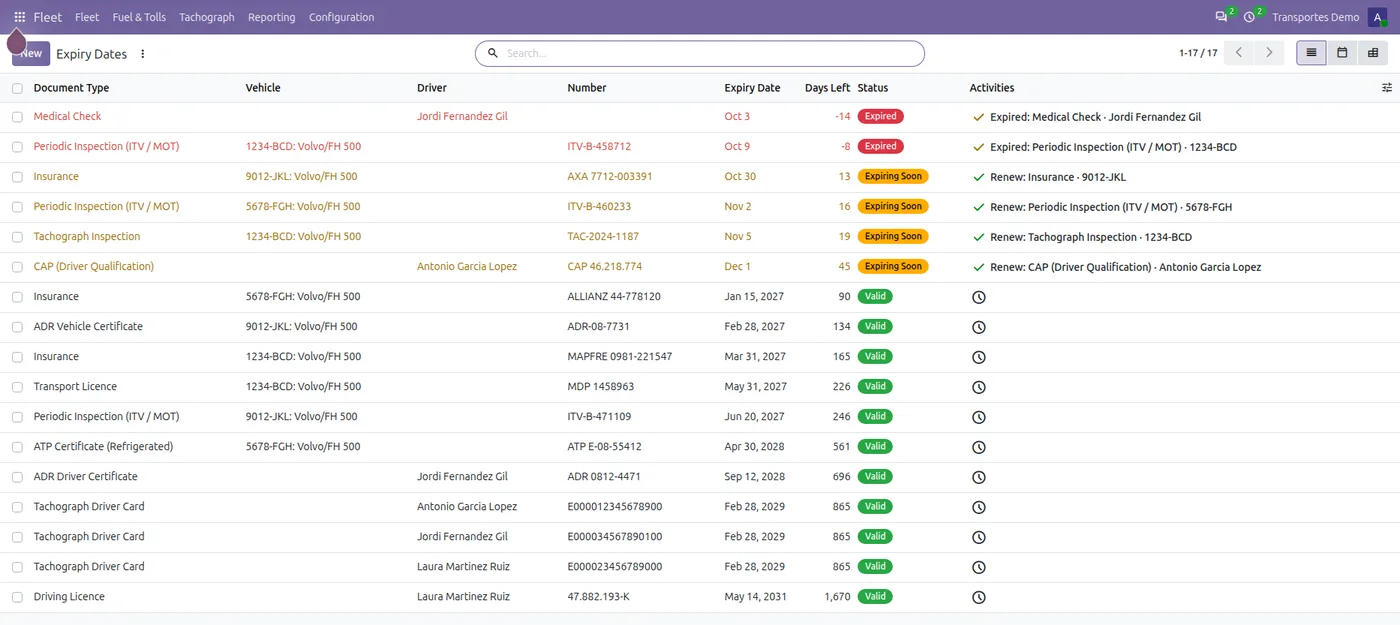
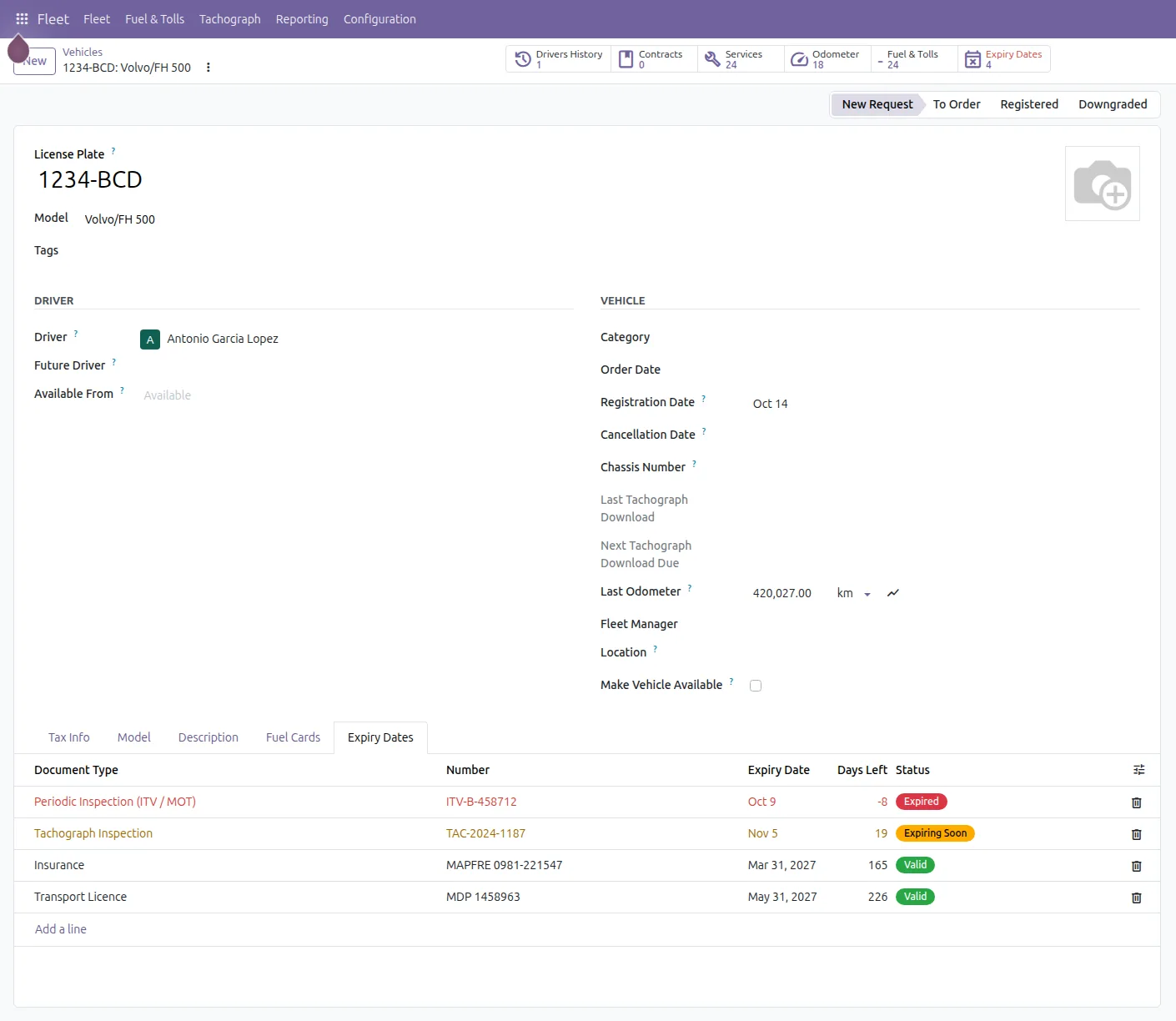
Screenshots of the app with sample data.
Installs on its own in any Odoo 17, 18, 19 or 20 with Fleet, Community or Enterprise. The interface is in English and Spanish.
It is a third-party app with Python code, and Odoo Online does not install those. It runs on Odoo.sh or on a server of your own. If you are on Odoo Online today, we can walk you through what the move involves.
Bought on the Odoo Apps Store under the Odoo Proprietary License (OPL-1). Help with installation, the first import and the settings is by email; if you get stuck, we look at it with you.
Prices as listed on the Odoo Apps Store on 17 October 2026. The store page is the reference.
Prefer to have it installed and set up with your trucks and drivers? We can cover that on the call.
Yes. The included types are a starting point: create your own, say whether they belong to the truck or the driver, how many days before to warn, how long they usually last and who gets the reminder.
The responsible person of the document type, or else the fleet manager of the vehicle, or else the administrator. They arrive as an activity in Odoo.
The driver card does: with our tachograph app, every time a card download is read, its expiry date and number go to the driver's document. Other dates are entered when you renew.
No. Odoo Online does not install third-party apps that contain Python code, and ours do. It works on Odoo.sh and on your own server (on-premise), Community or Enterprise, Odoo 17, 18, 19 and 20.
With a sample company first and, if you like, with your own trucks and drivers next time. You talk to the people who build the app.